Collection
Choose products by account, date, keyword, media or category, then save images and source information to your PC.
Organize collected product images, descriptions and prices in one place. Find products again, review their details and use AI to complete the information you need.
GettaSYS is independently provided software and is not an official or affiliated service of Szwego.
Spend less time on repetitive tasks and check the data you plan to sell with.
Choose products by account, date, keyword, media or category, then save images and source information to your PC.
Apply brand names from your dictionary, clean descriptions and calculate selling prices in KRW, USD, JPY or VND from CNY source prices.
Reorder images, change the main image and edit titles, descriptions and prices. Update review status or move multiple product folders to the Recycle Bin.
Find products using text or a reference image. Compare images and view or copy information in each language from the results.
Create descriptions and titles in Korean, English, Japanese or Vietnamese. Use your dictionaries to guide AI brand and category matching.
Keep product files in work folders on your PC. Backup, restore and automatic updates are supported. AI processing sends the information needed for the selected task.
Connect a Szwego account you are authorized to use and collect the product data you need.
Apply your brand dictionary and description rules, then prepare selling prices.
Check and edit images and language-specific files, then mark products as reviewed.
Find products again. With PRO, use AI to complete information in your selected language.
Review the final product folders and CSV files for your sales workflow. Check each marketplace’s upload format.
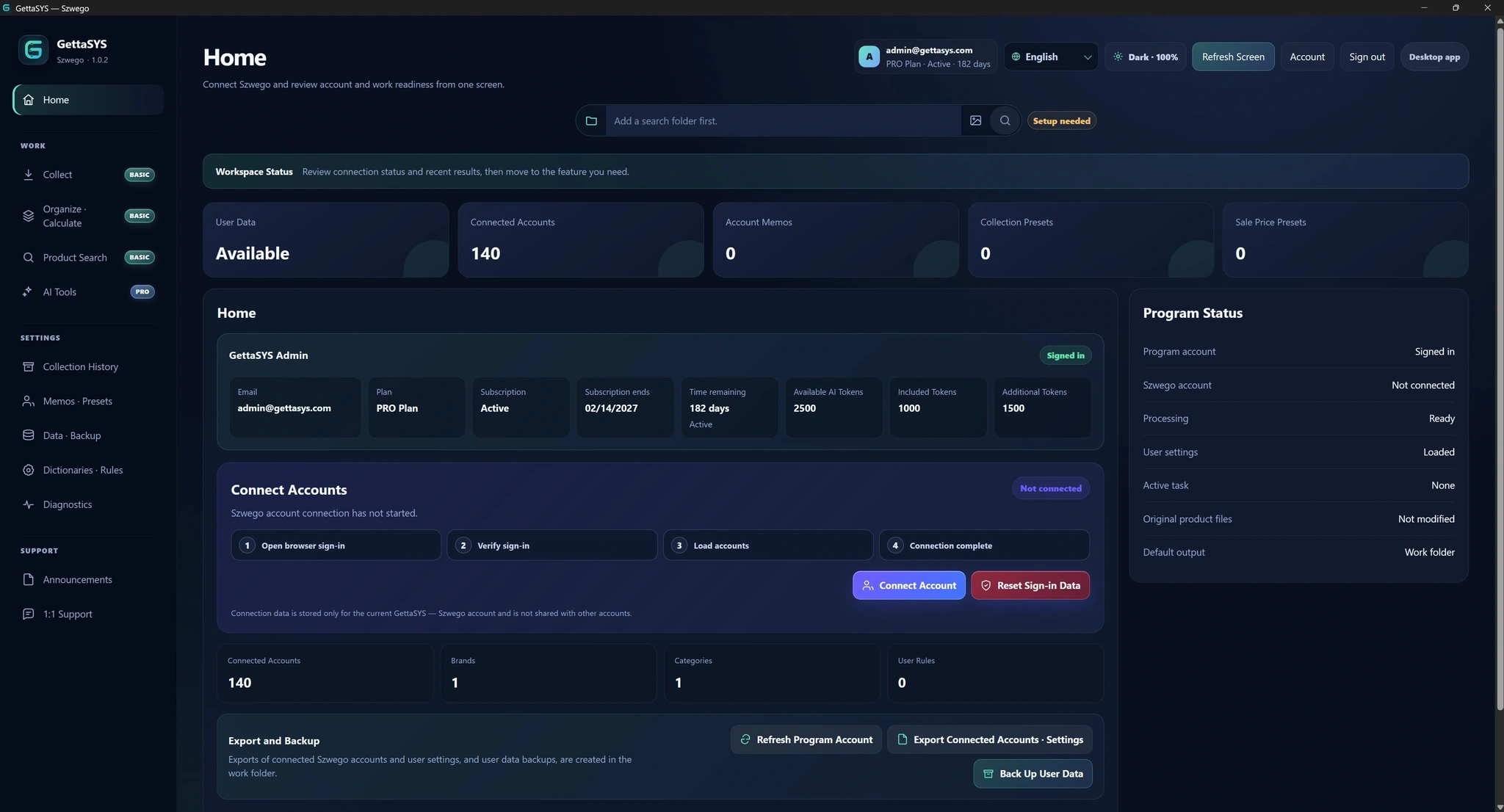
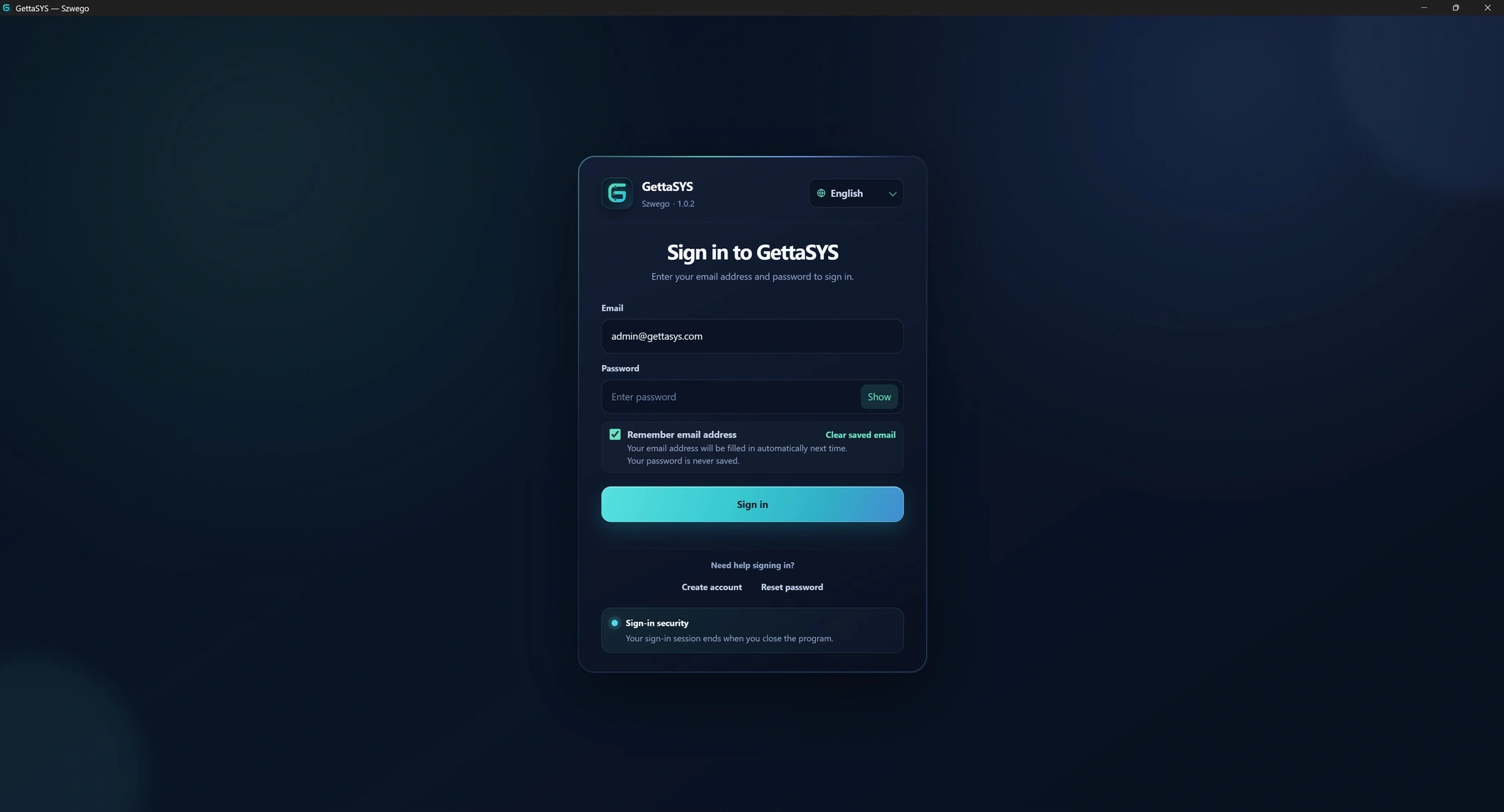
Explore the GettaSYS sign-in screen and main workspace.
Start BASIC or PRO checkout from Subscription Management after signing in to GettaSYS. The website does not offer email-only direct checkout.
A refund request may be submitted for every paid GettaSYS transaction processed by Paddle within 14 days of the transaction date or monthly renewal charge.
Submitting within 14 days does not mean automatic approval or a guaranteed full refund. Applicable law, Paddle policy, the reason, and service or AI token usage are reviewed case by case. See the Refund Policy for details. Refund Policy
Download and run the official GettaSYS for Szwego Setup.exe installer.
Accept the required terms, then complete email verification and mobile-phone SMS verification to activate the account.
Sign in to GettaSYS and choose the free trial, BASIC, or PRO from Subscription Management. Paid checkout starts only from the application.
Connect a Szwego account that you own or are legitimately authorized to use, then assign collection, organization, and AI work folders.
Add brands, categories and processing rules directly in Dictionaries & Rules. Use CSV import or paste an Excel table to manage many entries together.
Review results and back up important local data regularly.
No. Add, duplicate, edit or delete entries and turn them on or off in the application. For many entries, import a CSV or paste an Excel table, review the data and save. Each tab includes instructions and examples.
Saved settings apply to future tasks. Saving settings alone does not change existing product files. The previous settings are backed up before saving. A missing language value is not filled with another language.
For brand and category tasks, complete your dictionary candidates and their values in the selected language first. The task will not run if dictionary checks fail. AI judges the registered candidates and records a reason when none fits.
Selecting a scope and checking the estimate are free. Each normally completed product/task costs 1 token. A valid brand or category judgment of “no match” or “insufficient evidence” also costs 1 token. Technical failures such as server or network errors, and unprocessed items, are not charged.
Missing-file mode processes products without the result file for the selected task and language; an empty file still counts as present. Regenerate-all mode makes a new judgment for every product, whether a file exists or not, and refreshes results. Both charge for normal completion. A new run does not reuse previous successful results for free.
The reason is recorded in the results CSV. No new brand or category file is created for that language, and any existing file is kept. After you improve the dictionary, normal completion in a new run is charged again.
Display settings only change which information appears and its order. They do not delete files. Moving a product to the Recycle Bin is a separate action and includes the images and information files in its folder.
No. The three-day free trial does not require a payment method and does not automatically convert to a paid subscription.
Yes. Complete both email and SMS verification to protect the account and confirm normal use of the free trial.
Sign in to GettaSYS and choose BASIC or PRO from Subscription Management. A secure checkout linked to the signed-in account and selected plan opens.
BASIC includes Collection, Organize & Calculate, Product Management, review/final CSV and Product Search. PRO adds four AI tools and 1,000 included AI tokens each month.
BASIC and PRO can use Collection without a separate daily collection-count limit during the subscription. The one-PC policy, network conditions, connected-account status, and normal-use rules still apply.
No. Cancellation takes effect at the end of the current billing period. Access continues until then, and automatic billing stops from the next renewal.
Internet access is required for sign-in, account-status checks, Subscription Management, AI, and some online features. Protection is provided for temporary network interruptions.
Ordinary collection results and work data are stored on your PC or selected folders. Online features you explicitly use, such as AI, may transmit only the minimum data needed for processing.
No. Uninstalling does not automatically delete collection results, images, videos, product information, notes, presets, dictionaries, rules, calculation results, or CSV files in your selected work folders. You manage backup and deletion of those files.
All plans use a one-PC policy. Use the PC-change process in the application when moving to another computer.
AI Tools are exclusive to PRO. Each successful PRO renewal includes 1,000 AI tokens. Unused included tokens do not roll over, and additional purchased tokens are managed separately.
The application, installer, updates and website support Korean, English, Japanese and Vietnamese. AI results are saved as language-specific files. Product Management and Search let you choose which files to display and their order.
Secure checkout shows cards or express payment methods eligible for the customer’s country, currency, device, browser, and monthly subscription. Availability may vary at checkout.
Open the customer portal from Subscription Management in the application to view receipts and update the payment method.
A refund request may be submitted for an initial subscription payment, each monthly renewal charge, and each AI token pack purchase within 14 days of that transaction. Requests are not automatically approved and may result in a full refund, a partial refund for the unused portion, or a decline after review of applicable law, Paddle policy, the reason, and usage. See the Refund Policy for details. Refund Policy
No. GettaSYS is independently provided software and is not an official or affiliated Szwego service.
Only process accounts and materials that you own or are legitimately authorized to use.
Use the in-app support request or email [email protected] for help with accounts, features, subscriptions, billing, or privacy.
Review the terms, privacy policy, and subscription policy before using the service.